by stephy | Feb 24, 2026 | Google Slides, PowerPoint, Presentation, tutorial
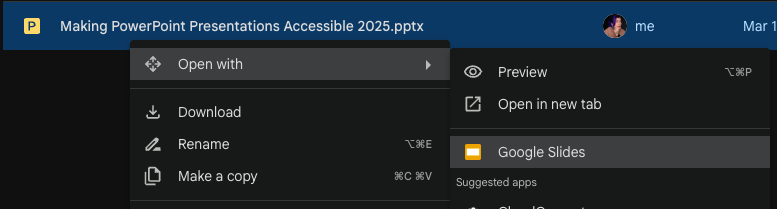
So you’ve got a PowerPoint file… but you need it in Google Slides. Maybe your team lives in Google Workspace. Maybe you need real-time collaboration. Maybe you’re just trying to survive. The good news: converting a PowerPoint to Google Slides is easy. The bad news:...

by stephy | Feb 17, 2026 | PowerPoint, Presentation, tutorial
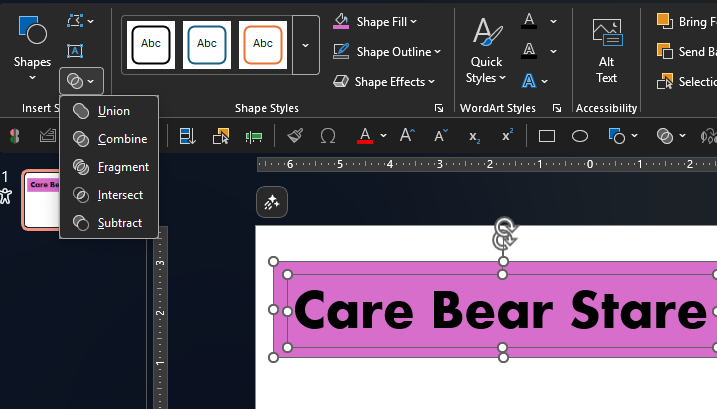
PowerPoint isn’t just for rectangles and sad little circles. Hidden inside it is a set of tools that lets you build completely custom shapes by combining two (or more) shapes together — kind of like “pathfinder” in Illustrator. PowerPoint calls these the Shape...

by stephy | Feb 10, 2026 | PowerPoint, Presentation, tutorial
If your first instinct when you have data is to insert a pie chart…don’t worry. You’re not alone. But pie charts are almost never the best choice, especially when you have more than 3 data points. They’re hard to compare, hard to read, and they make your audience work...

by stephy | Feb 3, 2026 | PowerPoint, Presentation, tutorial
If you’ve ever used Photoshop, Illustrator, or Canva, you might be familiar with clipping paths or clipping masks — basically, making an image fit inside a shape. PowerPoint can do this too… it just doesn’t call it clipping paths because PowerPoint likes to be...
by stephy | Jan 27, 2026 | PowerPoint, Presentation, tutorial
PowerPoint can do a lot of things. Turning text into outlines — like Illustrator “Create Outlines” — is not one of them. So if you want text that becomes a design element (not editable text), you have to use a workaround. In this tutorial, I’ll show you how to convert...
by stephy | Jan 20, 2026 | PowerPoint, tutorial, Uncategorized
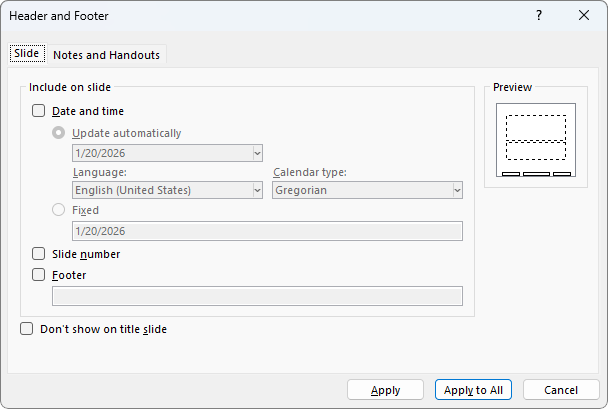
Ever added page numbers in PowerPoint, clicked Apply to All, and then… nothing happened? Congrats. You’ve just encountered one of PowerPoint’s most common (and most annoying) “features.” In this tutorial, you’ll learn how to: Add slide numbers (page numbers) and...

Recent Comments